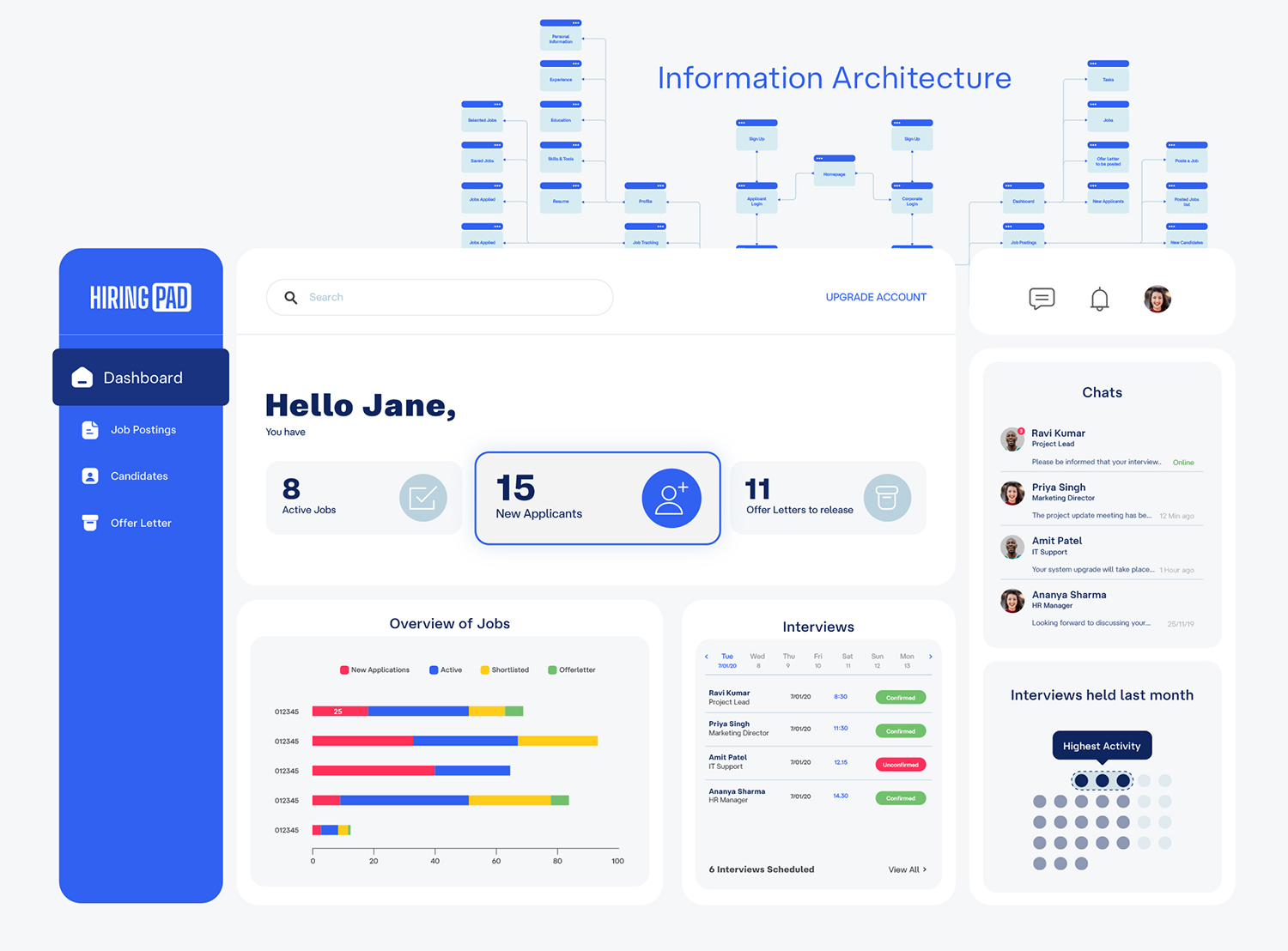
Imagine building a house blindfolded. Sounds impossible, right? Yet, that’s exactly what designing digital experiences without data feels like.
This case study looks at the UX and UI design journey of Hiring Pad, a recruitment platform designed to simplify job application management for recruiters while enhancing the experience for candidates.
Project Overview:
- Client: Hiring Pad
- Industry: Recruiting/HR Platform
- Status: Feb 2021 – April 2022 (*pre-AI tools)
- Origin: Indian startup
Core Purpose:
- Helps recruiters manage job postings and applications
- Focuses on candidate skill rating
- Simplifies the hiring process through user-centric design
- Provides accessible dashboard for both candidates and companies
- The issue of candidates resigning without notice, engaging in moonlighting, or accepting offers but not joining can be addressed with a shared data board for companies. More transparent data.
At Hiring Pad, we faced a common challenge: how do we create an interface that meets the needs of both recruiters and job seekers?
The answer lies in combining data + design.
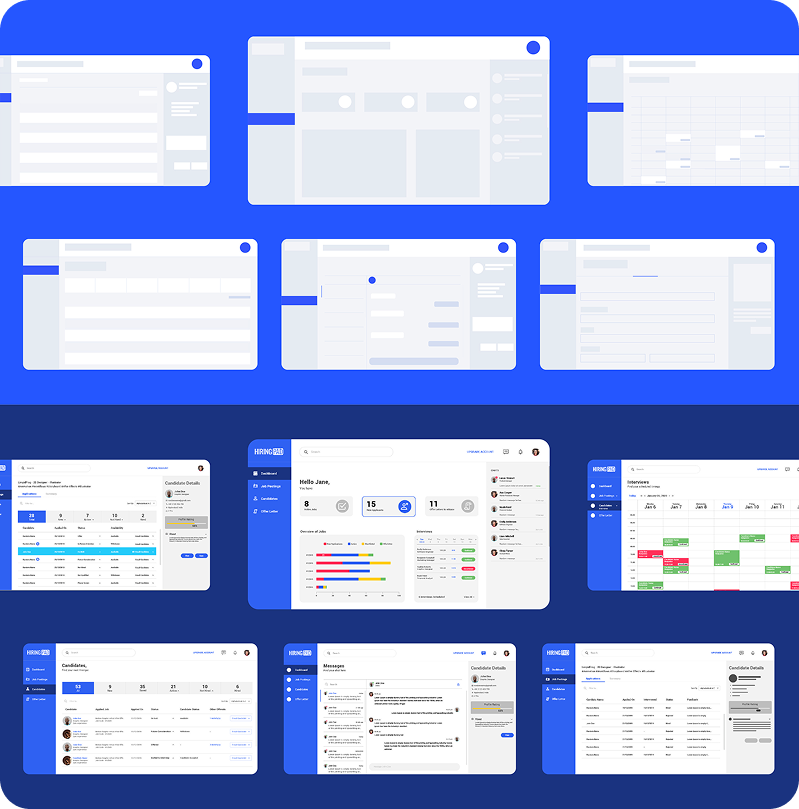
The Design Process
User Research Methods:
- Online surveys with 30+ recruiters and job seekers
- In-depth interviews with 12 HR managers
- Usability testing sessions with 8 participants
- Analytics data from similar recruitment platforms
- Heat map tracking on prototype interfaces
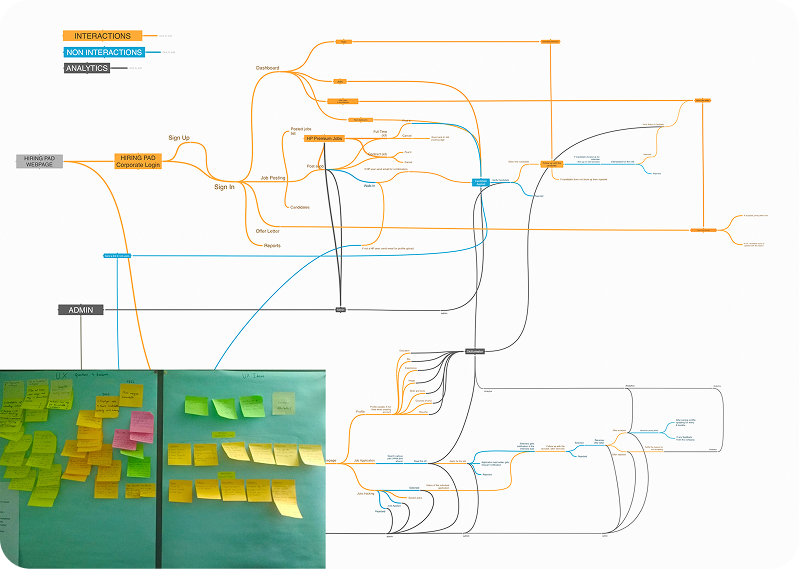
Framing the information architecture
Technology Stack Used:
Web Technologies
|
Front-end Technologies
|
FAQ Section:
- How will you balance creating an amazing UX while keeping in mind the many goals of my business?
Balancing a seamless user experience (UX) with your business goals requires aligning user needs with your objectives. By leveraging data-driven design, we can create intuitive interfaces that not only delight users but also drive measurable results, like higher engagement and conversions. - What’s the difference between UI and UX design (in the context of AI)?
UI (user interface) design is all about how the product looks – the visual elements, layout, and interaction. UX (user experience) design is focused on how the product feels and functions, making sure it’s easy and enjoyable to use. In today’s rapidly evolving landscape, UI design is becoming increasingly faster and easier to create with the help of AI. However, UX design encompasses multiple attributes that require thorough research and extensive interaction with users. - How do you measure the success of a UX design project?
To ensure the design meets your business goals and delights your users, we’ll establish key performance indicators (KPIs) to track progress. We’ll work closely with your team to fully understand your objectives, audience, and challenges. Then we’ll design solutions that meet user needs while supporting your core goals. Throughout the project, we’ll implement regular milestone checks to assess progress against the KPIs. This iterative approach allows us to make data-driven adjustments as needed, keeping the design aligned with user feedback and business requirements. By continuously monitoring these metrics, we can refine the designs and move forward confidently, knowing we’re on the right track to success.
Leave a Reply